Voice dictation for handheld gaming
Type on your Steam Deck without a keyboard.
Wayfinder Aura is voice dictation built for the Steam Deck and desktop. Skip the on-screen keyboard: press a back button, speak, and clean text lands at your cursor in Game Mode or on the desktop. Run speech recognition and text cleanup locally on your device, or connect remote cloud backends when you want, across almost every window on Linux, Mac, and Windows PCs.
Also available as a Linux AppImage (all install options). Mac: Apple silicon, macOS 14 or newer. Windows: 64-bit Windows 10 or 11 (unsigned installer).
Press D or tap the chip to preview·On your desktop or Steam Deck, your hotkey triggers Aura in any focused window.
- Steam Deck Game Mode
- Local by default, optional cloud
- One-time Ultra
- Linux, Mac and Windows
Built for the Deck. Ready for the living room.
Pulling up the Steam Deck on-screen keyboard covers half the screen and breaks your grip. Most dictation software has never heard of SteamOS. Aura replaces thumb-typing with a workflow built for handheld gaming: the Steam Deck in your hands, a SteamOS PC under your TV, and Bazzite rigs in between.
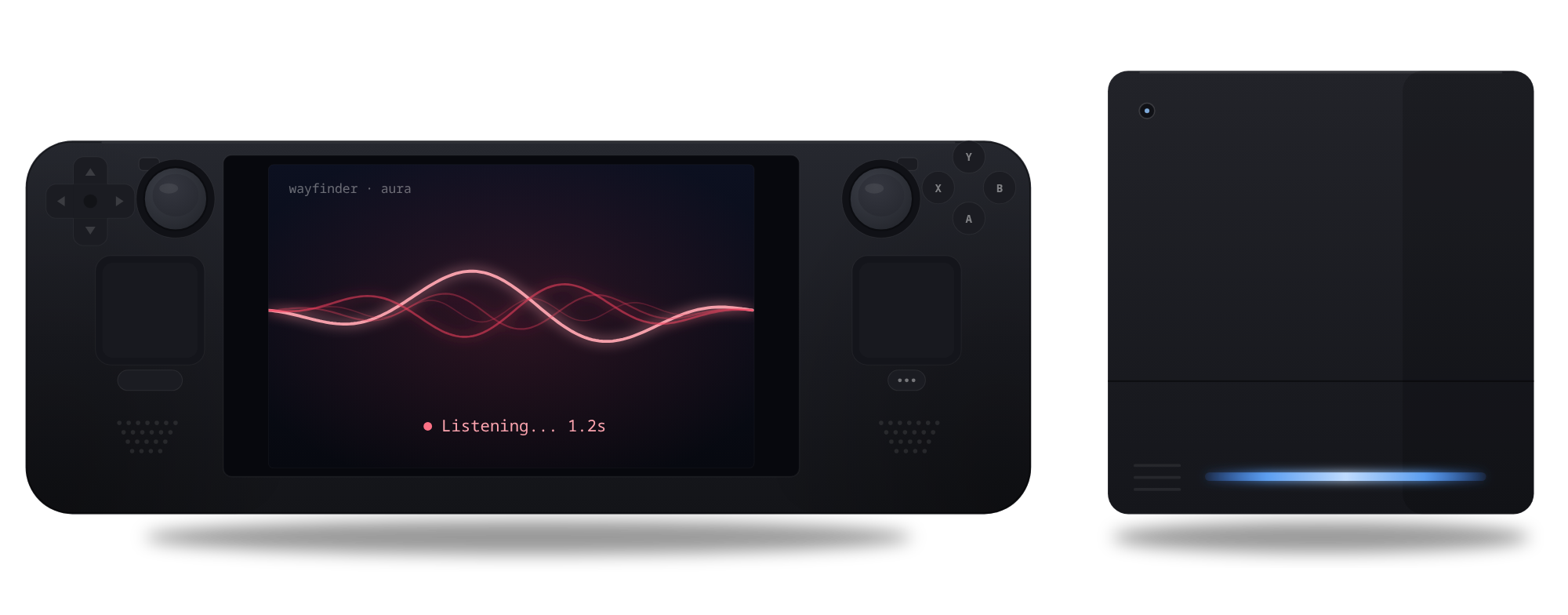
Run the Steam Deck installer once from Desktop Mode, then bind a back button such as R4 to Right Joystick Click in Steam Input. Press it to start and stop dictation in Game Mode without touching a keyboard. Game Mode keeps a controller layout per game, so repeat the binding in each game or reuse a layout template. The game also receives that click.
Audio cues confirm start, stop, and paste while the overlay is out of sight.
In AppImage and source builds, single-key shortcuts pause while a GameMode-registered game is running so they cannot collide with an in-game bind, while Gamer mode keeps modifier shortcuts working.
A CPU-tuned build sized for the Deck, with battery-friendly overlay rendering. SteamOS and Bazzite both welcome.
The back-button trigger is built and tested on the Steam Deck. On a Windows handheld PC, the Windows build installs like it does on any 64-bit Windows 10 or 11 PC, and you start dictation with its hotkey.
audio files saved: nothing is kept after transcription
of speech processed on device by default
subscription fee, now or ever
refund window, no questions asked
How it works
-
1Press your button
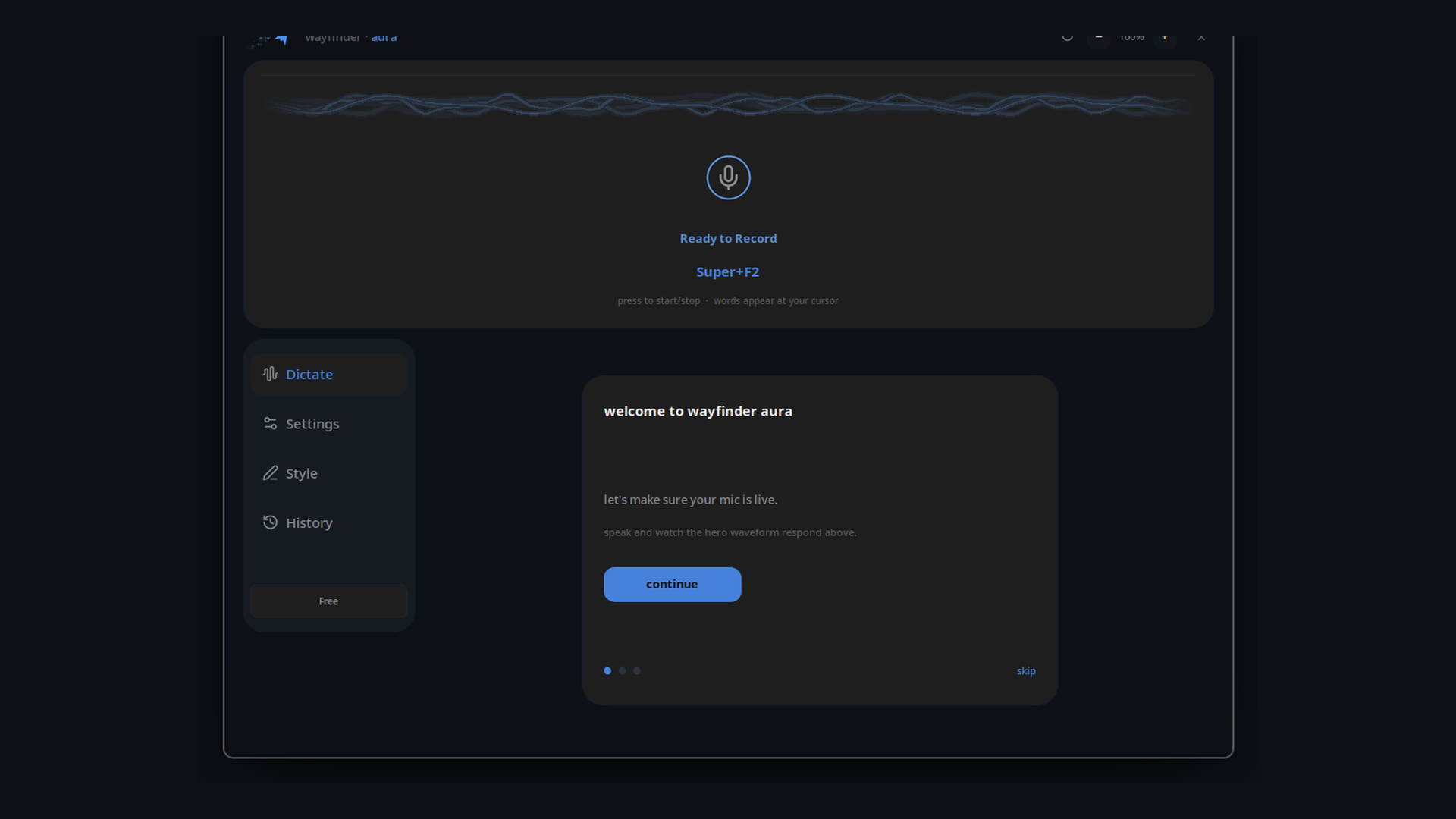
A back button on the Steam Deck, or one hotkey on a PC. The overlay wakes up and starts listening.
-
2Speak naturally
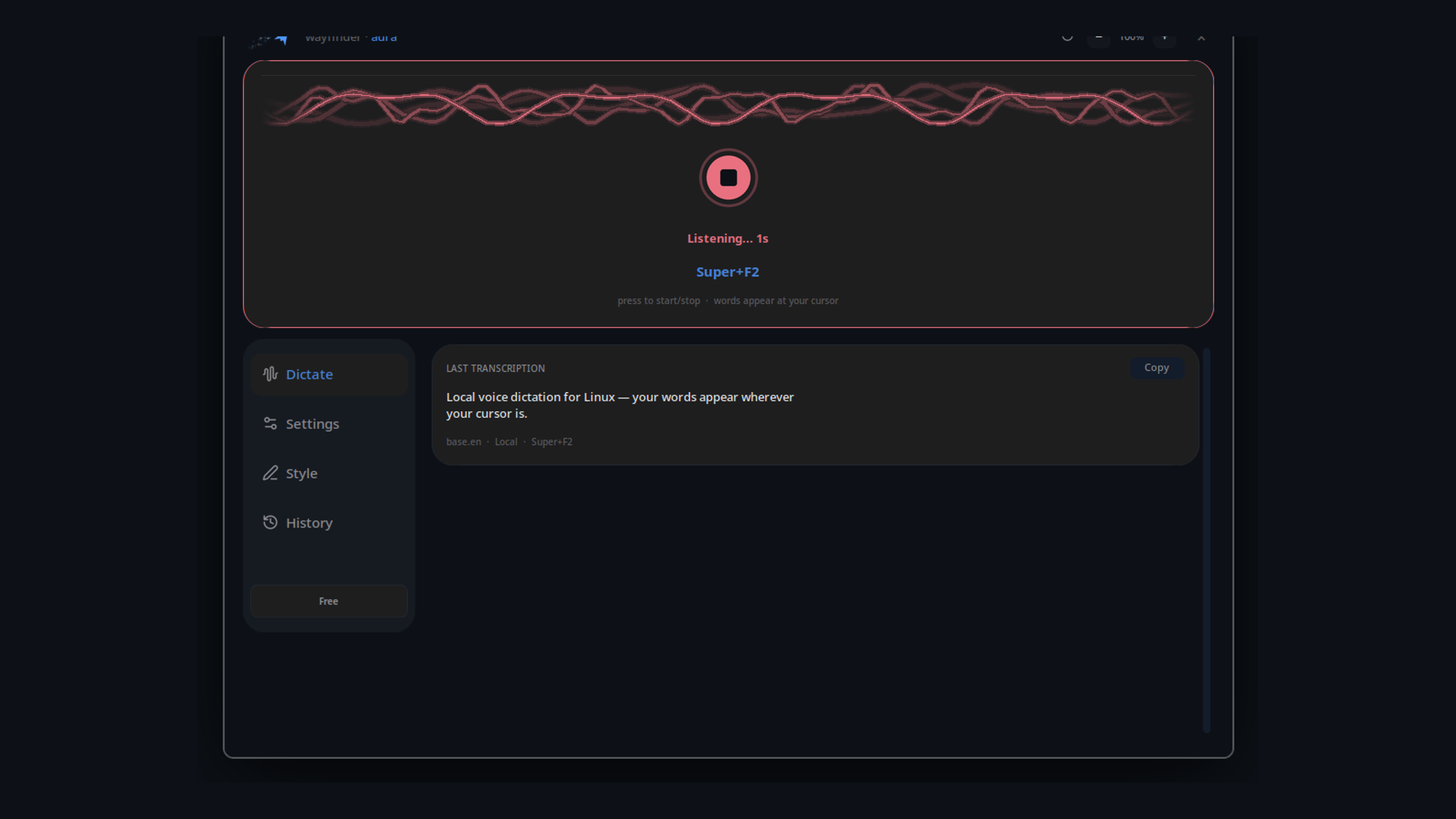
Whisper transcribes on your machine while a liquid waveform shows you are live.
-
3Words land at your cursor
Text lands where you were typing. Normal cleanup is on by default and strips um, uh and doubled small words instantly with no model wait; Ultra styles use a local cleanup model to match your tone.
With Ultra, a second hotkey cycles writing styles without leaving the app you are in.
Five ways to say it. One take.
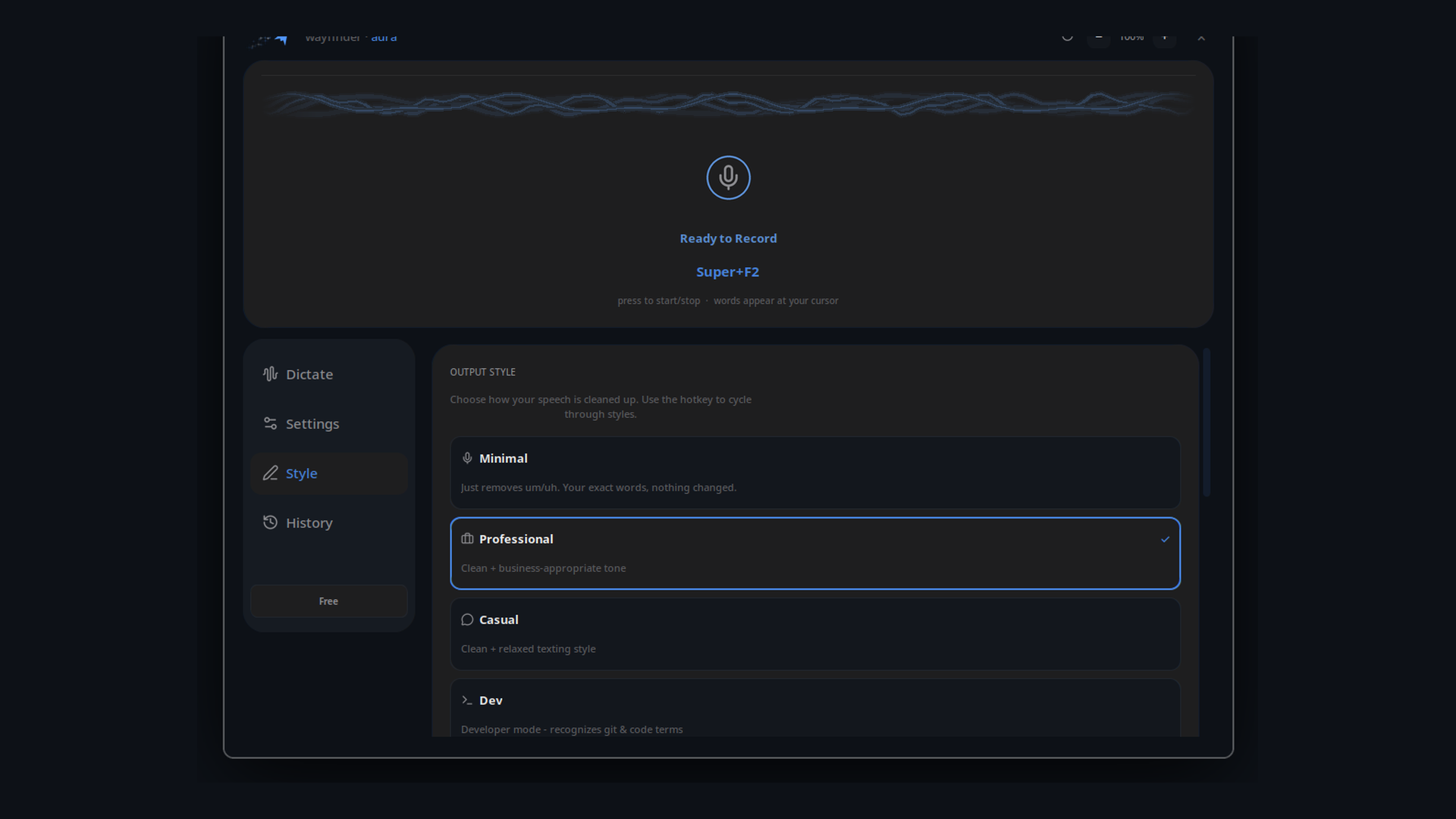
Pick a style to preview how the same take is formatted. Normal is free and strips um, uh and doubled small words instantly with no model; the other styles use a small local model on your machine and come with Ultra.
um so basically I was thinking we could uh maybe push the release to thursday, if that works for everyone
Works across every window you use.
Dictation built into a browser tab or a single CLI tool only works inside that one prompt box. Aura gives you one local-first voice workflow and one shared vocabulary across your whole desktop and Steam Deck, with model accuracy and hardware speed you can measure yourself.
Dictate into your terminal, IDE, browser, Discord, Slack, notes, or in-game text chat from the same hotkey. On Linux, Aura types into native Wayland windows on KDE Plasma via the desktop RemoteDesktop portal (GNOME 45+ is expected to work via the same portal, not yet verified), plus X11 and XWayland apps via xdotool.
Keep one custom vocabulary across every tool you use. In our 71-clip speech evaluation, stepping up from Base.en to Ultra's Large v3 Turbo Q5 cut word error rate by 43% (from 11.5% to 6.6% WER), paired with custom vocabulary, phonetic near-miss repair, and Dev style priming for terms like PyTorch, Qwen, Ollama, DeepSeek, Groq, and kubectl. Steady-noise and silence guards help reduce false transcripts from fan hum or muted mics.
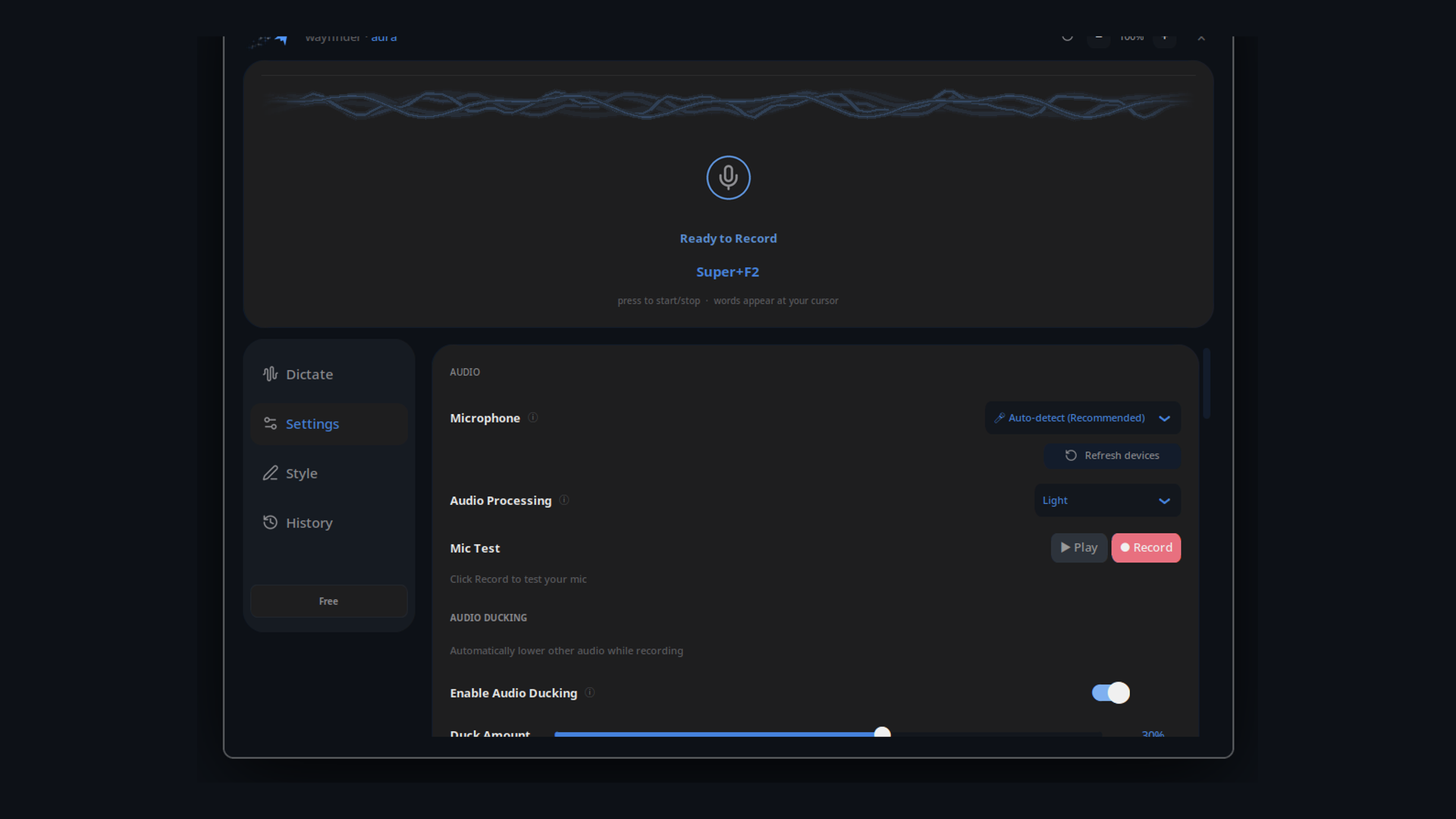
No guessing which model fits your machine. Open Settings → Advanced → Benchmark and run Compare CPU vs GPU to time your selected speech model on a generated 10-second audio clip and benchmark your installed cleanup models on sample text. Free includes a GPU benchmark preview so you can see measured performance on your hardware before unlocking live GPU dictation with Ultra.
Local by default, cloud when you choose
By default, transcription and text cleanup run locally on your hardware. If you prefer remote processing, you can connect your own cloud API keys in Settings. Here is the complete network breakdown.
- Your voice, by default, always
- Transcripts and the activity log
- The cleanup model and everything it writes
- Your custom vocabulary and voice profile
- Model downloads: the first run, and when you switch models
- An app-update check once a day and a model-update check once a week, both of which you can turn off
- The model list, fetched when the app starts
- Ultra licence activation and periodic refresh: your key and a hashed machine ID
- The feedback form, only when you send feedback: it is stored on Wayfinder's servers and shared with our team in Slack
- Crash reports, on by default in Beta builds and opt-in on Stable: error types, file and function names, and app and OS versions, never audio, dictated text or error messages. They are stored on Wayfinder's servers, and a short summary of each new crash goes to our team's Slack
- Cloud backends, only if you turn one on with your own API key: they receive your audio or transcript text
No analytics or usage tracking, and temporary audio files are deleted after transcription. The code is source-available, not open source: it is public under the Elastic License 2.0, so you can read and build it yourself. github.com/wayfindercollective/wayfinder-aura
Made for how you actually work
A back-button trigger in Game Mode on the Steam Deck. Skip the on-screen keyboard and speak into in-game text chat, search bars, or launchers.
Talk naturally across Discord, Slack, or your mail client. Normal strips um, uh and doubled small words for free; Casual or Professional rewrites tone with Ultra.
Speak whole prompts to Claude Code, Cursor, or your terminal from the same hotkey you use everywhere else. Dev style and custom vocabulary keep flags and repo terms intact.
Legal, medical, and personal drafts that should never touch a cloud speech API.
See it
Free vs Ultra
Free includes full local CPU dictation for everyday use. Ultra is a one-time upgrade for GPU speed, larger models, and writing styles.
Free to use with no account required.
- Base/Base.en local transcription on CPU
- Normal cleanup that strips um, uh and doubled small words instantly
- Glassmorphic status pill (Always on, Disappearing, or Off) and system tray
- Types into almost any app across Wayland, X11, Mac, and Windows
- In-app hardware benchmark and activity log
$29.99 until 31 December 2026, then $60. One payment either way, no subscription.
- GPU acceleration on supported AMD, Intel, NVIDIA, and Apple Silicon hardware
- Large and turbo models (Large v3 Turbo Q5 cut word error rate by 43%, from 11.5% to 6.6% WER, vs Base.en in our 71-clip evaluation)
- All writing styles (Professional, Casual, Dev, and Personal), plus Strong intensity
- Custom vocabulary and phonetic near-miss repair for names and jargon
- Voice profiles that learn how you write
- Chunked long-form recording
- Bigger local cleanup models such as Qwen3 4B
- Optional cloud backends with your own API keys
Install free
Choose your download for Mac, Windows, Linux or Steam Deck.
Apple silicon, macOS 14 or newer.
Signed with Developer ID and notarized by Apple. Open the DMG, drag Aura into Applications, then follow the permission checklist.
Mac setup steps
The AppImage runs on Ubuntu 22.04+, Debian 12+, Fedora 35+, SteamOS, Bazzite, and similar
distributions with in-app updates built in. A standalone Flatpak bundle (app ID
io.wayfindercollective.WayfinderAura) is also attached
to every release.
For Windows 10 and 11, 64-bit PCs. Download the current Windows installer.
The installer is not code-signed yet. If SmartScreen shows “Windows protected your PC”, choose More info → Run anyway.
Open the app, go to Settings and then Ultra, paste your key and choose Activate. It keeps working offline for long stretches after activation.
Main downloads serve the current stable release (1.3.1) across Mac, Linux, Steam Deck, and Windows, with in-app update checks built in. On Stable, crash reports are opt-in and off by default; audio and dictated text are never included.
Want the newest preview builds? Download the Beta channel for Mac, Linux or Windows. Beta builds are the newest, released as often as daily, and may have bugs. Once installed, you can switch back to Stable anytime in Settings → Advanced → System → Updates. Beta builds send crash reports by default (error types, file and function names, and app and OS versions, never audio, dictated text or error messages) unless you turn them off in Settings.
Source and issues: github.com/wayfindercollective/wayfinder-aura
FAQ
Yes. Desktop and Game Mode both work. Run the Steam Deck installer once from Desktop Mode, then bind a back button to Right Joystick Click in Steam Input for each game; audio cues confirm start, stop and paste. A game that uses the right-stick click receives that click too. Bazzite works as well. GPU acceleration and the larger models are Ultra features.
The back-button trigger is built and tested on the Steam Deck only. Elsewhere, start dictation with the hotkey: the Linux build runs on Bazzite, and on a Windows handheld the Windows build installs like on any 64-bit Windows 10 or 11 PC. The Windows installer is not code-signed yet.
Yes, once the models are downloaded, for dictation and cleanup. The network is used for model downloads, update checks you can turn off, the model list, Ultra licence activation, crash reports when they are on, and any cloud backends you enable yourself.
By default, nothing from your microphone. Aura downloads models, checks for updates (you can turn that off), fetches its model list, and for Ultra activates and refreshes your licence with your key and a hashed machine ID. Cloud transcription or cleanup only runs if you turn it on with your own API key. Beta builds also send crash reports (error types, file and function names, and app and OS versions, never audio, dictated text or error messages) unless you turn them off in Settings; on Stable, crash reports are opt-in. Crash reports and any feedback you send are stored on Wayfinder's servers, and a short summary of each new crash (error type, versions and the first file and function names) goes to our team's Slack.
No, one payment. $29.99 until 31 December 2026, then $60 from 1 January 2027. Whenever you buy, that payment is the whole cost. Full refund within 7 days if it is not for you.
No, it is source-available. The code is public under the Elastic License 2.0, which is not an OSI-approved open source licence: you can read, build and modify it, but you cannot offer it as a hosted service or work around the licence checks.
Into the app, under Settings and then Ultra. One key covers up to 3 devices, and it keeps working offline for long stretches after activation.
Built-in voice modes only work inside a single app, browser tab, or terminal session. Aura gives you one hotkey (or a Steam Deck back button in Game Mode) and one shared vocabulary across almost any focused window, runs locally on your machine by default, and includes an in-app CPU vs GPU benchmark so you can measure latency on your own hardware. With Ultra, you can also step up from Base.en to Large v3 Turbo Q5 (which cut word error rate by 43%, from 11.5% to 6.6% WER, in our 71-clip evaluation) and add custom vocabulary, phonetic near-miss repair, and Dev style priming for code and jargon.
Your words, at your cursor
Press a key. Speak. Your words land at your cursor. Local-first, built for the Steam Deck and desktop, in almost any app. Free to start, one payment when you want everything.